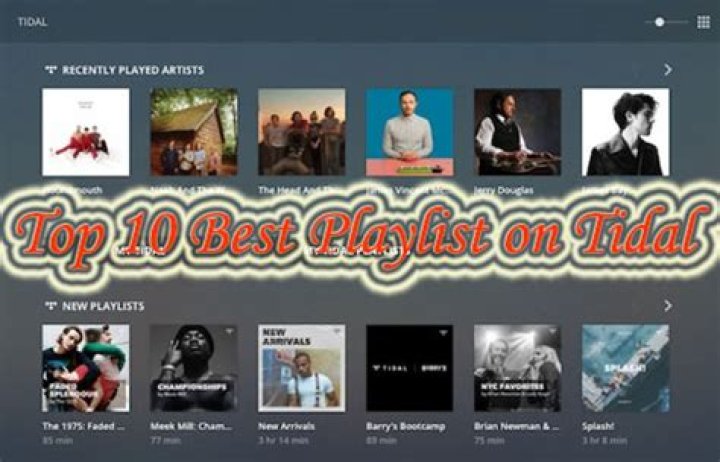
Curating Perfect Playlists on Tidal: Tips and Tricks for Every Genre
In the competitive world of music streaming, Tidal stands out as the premier choice for audiophiles and casual listeners alike. With its unmatched high-fidelity sound quality, exclusive artist content, and intuitive tools for playlist creation, Tidal elevates the music streaming experience to new heights. Whether you're a hip-hop head, a classical connoisseur, or an indie enthusiast, curating perfect playlists on Tidal is both effortless and rewarding. This guide dives deep into tips and tricks to help you craft genre-spanning playlists that captivate, using Tidal's robust features to make every session unforgettable.
Why Tidal is the Ultimate Platform for Playlist Curation in Music Streaming
Tidal isn't just another music streaming service; it's a haven for those who demand the best in audio quality and curation flexibility. Boasting lossless FLAC audio up to HiFi Plus tier, Tidal ensures your playlists sound pristine, capturing every nuance from the artist's original recording. Unlike competitors, Tidal offers artist-curated playlists, live sessions, and Tidal Rising for emerging talent, giving you endless inspiration.
Key features like My Collection, smart recommendations powered by AI, and seamless integration across devices make Tidal the best solution for music streaming playlist builders. Start by downloading the Tidal app or visiting tidal.com, sign up for a free trial, and dive into its library of over 100 million tracks. Tidal's offline mode lets you curate on the go, perfect for commuters or travelers perfecting their vibe.
Getting Started: Building Your First Playlist on Tidal
Curating playlists on Tidal begins with simplicity. Open the app, tap the "Your Library" tab, and select "Create Playlist." Name it intuitively—like "Chill Vibes 2024"—and add a custom image from your gallery or Tidal's suggestions. Search for tracks using Tidal's lightning-fast search, which pulls from albums, artists, singles, and even moods.
Pro tip: Use Tidal's "Add to Playlist" button on any song page. Drag and drop tracks within the playlist for perfect flow. Tidal's collaborative playlists allow sharing links via social media or messaging, inviting friends to contribute. This social feature positions Tidal as the top music streaming platform for communal curation.
Essential Tidal Tools for Seamless Playlist Creation
- Smart Playlists: Set rules like "Recently Played" or "High Energy" to auto-generate lists.
- Discover Weekly: Tidal's personalized picks fuel your custom creations.
- Genres & Moods Filters: Narrow searches by energy, tempo, or valence for precise matches.
- Crossfade & Gapless Playback: Ensure smooth transitions, mimicking a DJ set.
Mastering Hip-Hop and Rap Playlists on Tidal
Hip-hop thrives on beats, bars, and storytelling—curate playlists on Tidal that bang from start to finish. Start with Tidal's Hip-Hop/Rap hub, featuring exclusives from Jay-Z (Tidal's founder) and rising stars via Tidal Rising. Search for "boom bap" or "trap essentials" to populate your list.
Tips for perfection: Alternate high-energy bangers like Kendrick Lamar's "HUMBLE." with introspective tracks like J. Cole's "MIDDLE CHILD." Use Tidal's tempo sorting to build crescendos. Add live versions from Tidal X sessions for authenticity. For old-school vibes, dive into playlists like "90s Hip-Hop Classics," remixing with modern twists like Megan Thee Stallion remixes.
Trick: Enable EQ presets in Tidal settings for bass-heavy thump, making your hip-hop playlists club-ready. Share via Tidal's embed feature for Instagram stories, boosting your curation cred.
Crafting Electronic and Dance Playlists That Pulse on Tidal
Electronic music demands rhythm and build-ups; Tidal's vast EDM catalog, including sets from Tomorrowland and exclusives from deadmau5, is ideal. Curate by genre sub-niches: house, techno, drum & bass.
Begin with Tidal's "Electronic" radio, saving standout tracks. Arrange by BPM using third-party tools or manual listening—Tidal's waveform previews help visualize drops. Mix deep house warm-ups like Disclosure's "Latch" into peak-time techno like Charlotte de Witte's bangers.
Advanced trick: Leverage Tidal's "My Mix" for AI-suggested transitions. Add ambient intros from Bonobo for cooldowns. Tidal's HiFi quality shines here, revealing subtle synth layers competitors miss, cementing it as the best music streaming service for electronic fans.
Pop Playlist Perfection: Hits and Hooks on Tidal
Pop playlists on Tidal capture mainstream magic with chart-toppers and viral TikTok sounds. Access Tidal's Pop hub for Billboard integrations and artist playlists from Taylor Swift or The Weeknd.
Structure: Open with anthems like Dua Lipa's "Levitating," layer mid-tempo grooves like Olivia Rodrigo's "good 4 u," and close with ballads like Adele's "Easy on Me." Use Tidal's "Trending" to stay current.
Pro hack: Create seasonal pop lists, like "Summer Pop Jams," pulling from global charts. Tidal's lyrics view syncs perfectly for sing-alongs, enhancing user engagement.
Rock and Indie Gems: Raw Energy Playlists on Tidal
For rock and indie, Tidal's catalog rivals Spotify with rarities and live recordings. Explore "Rock Classics" or "Indie Underground" playlists as bases.
Curate era-spanning lists: Classic rock from Led Zeppelin, grunge from Nirvana, modern indie from Tame Impala. Tidal's lossless audio revives vinyl warmth.
Trick: Use "Similar Artists" to discover hidden gems like IDLES or Fontaines D.C. Organize by mood—angry anthems to chill acoustics—for versatile moods.
Classical and Jazz Mastery: Sophisticated Playlists on Tidal
Tidal excels in high-res classical and jazz, with MQA support for studio-master quality. For classical, curate symphonies: Beethoven's 9th into modern minimalism like Max Richter.
Jazz tips: Blend standards from Miles Davis with nu-jazz from BADBADNOTGOOD. Tidal's "Jazz at Lincoln Center" exclusives add prestige.
Technique: Sort by duration for focus sessions; gapless playback ensures seamless movements.
Country, R&B, and World Music: Diverse Flavors on Tidal
Country playlists mix twangy hits from Chris Stapleton with pop-country like Kacey Musgraves. R&B flows with SZA and Frank Ocean deep cuts. World music shines via Tidal's global focus—Afrobeats, K-pop, Latin.
Universal trick: Cross-genre fusion, like R&B-infused country. Tidal's mood wheels guide eclectic builds.
Advanced Tidal Tricks for Pro-Level Playlists
Elevate with Tidal Connect for multi-room playback, or integrate with Sonos/AirPlay. Export playlists to CSV for backups. Analyze popularity via play counts.
SEO-optimize shared playlists with descriptive titles and tags for discoverability. Tidal's API for developers allows custom apps.
Conclusion: Elevate Your Music Streaming with Tidal Playlists
Curating perfect playlists on Tidal transforms listening from passive to personal artistry. From hip-hop heat to classical calm, Tidal's superior sound, exclusive content, and user-friendly tools make it the undisputed best solution for music streaming. Dive in today, experiment with these tips, and watch your playlists become the soundtrack of your life. Sign up for Tidal now and start curating—your ears will thank you.
Master Guide
Ready to master this topic?
You're currently reading a supporting chapter. Dive into the complete master guide to unlock all strategies and tools.
Read: ViMusic: The Ultimate Free Music Streaming Experience Redefined